What it is
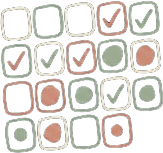
DayMark is a habit tracker and daily journal I built to keep track of my days in one place. You add your habits for the month and tick them off in a grid, with habits down the side and days across the top. There's also a daily journal, a to-do list for each day, and an analytics tab that charts how the month is going.
It's a Streamlit app with Firebase behind it for accounts and storage. It was the first web app I deployed publicly, and I put it live on 1 January 2026.
Why I built it
I was already tracking my habits in a physical habit tracker. It worked, but I had to carry it around, and I wanted something I could open from anywhere without thinking about it. A digital one is easier to access, easier to fill in, and easier to change when I want to.
I kept its layout on purpose: habits down the side, days across the top. I didn't go for a modern habit-app style, because I like watching the grid fill up little by little, day by day. It feels good to see what you've done.
I also wanted it to be just mine: no social feed, no points or streak to chase. So I built my own, and then put it online for anyone else who wants the same thing.
What it can do
- Habits: a monthly grid with habits as rows and days as columns. You can add or delete habits whenever you want and tick off each day.
- Analytics: three charts for the month you're viewing: a daily score line, a trend chart for the habits you pick, and a bar chart of which habits you stick to most.
- Journal: one entry per day, with a bar showing how many habits you finished that day. You can set a default prompt in Settings that fills in empty days.
- Tasks: one-off to-dos for a specific day, with a progress bar.
- Any past day: a date picker lets you go back to any day since you made your account, but not forward.
- Accounts: email and password login with email verification, and each user's data is stored separately.
- Saving: it autosaves about once a minute, when you log out and when you switch months. There's also a Save Changes button.
How it's built
DayMark is a Streamlit app written in Python. Streamlit handles the pages and the widgets (the habit grid is its editable table), and the charts are made with Plotly and pandas.
Accounts and storage run on Firebase. Firebase Auth handles login with email verification, and Cloud Firestore stores the data per user and per month. It's hosted on Streamlit Cloud.
While you use it, the month's data sits in Streamlit's session state. It's written to Firestore when you hit save, log out, switch months, or about once a minute.
About AI: AI wrote the main Firebase and login code, and I integrated it into the app. The rest of the app's code, how the tabs, grid, journal, tasks and analytics work, is mine. I asked AI for help in a few other places, but not much.
What I learned
- More Streamlit: the hackathon introduced me to it, but DayMark is where I learned it properly by building a whole app with it.
- A real database and logins: this was my first time working with an actual database and user authentication. AI wrote the main code for that part, so what I really learned was how to plug it into the app and how the pieces fit together.
- Shipping something public: it was my first public app, so I picked up a lot of small things I would never have run into building only for myself.
- A problem I fixed: at first there was no save button. Streamlit reruns the script on every click, and every rerun hit the database, so I used up my database limit while I was still building it. I changed it so edits stay in memory and only get written when you save: the button, an autosave about once a minute, logging out, or switching months. It also skips the write if nothing changed. Database hits dropped way down, and I worked that one out myself.
Limits and next steps
- Habits start empty every month: each month is stored separately, so you have to re-add your habits at the start of a new month.
- No export or backup: your data only lives in the app's database, and there's no way to download it.
I'm not planning to work on DayMark for now.
 LinkedIn
 @tahsin_2155
 Tahsin2155